 Literess
Folders, a shared todo list and pinned messages
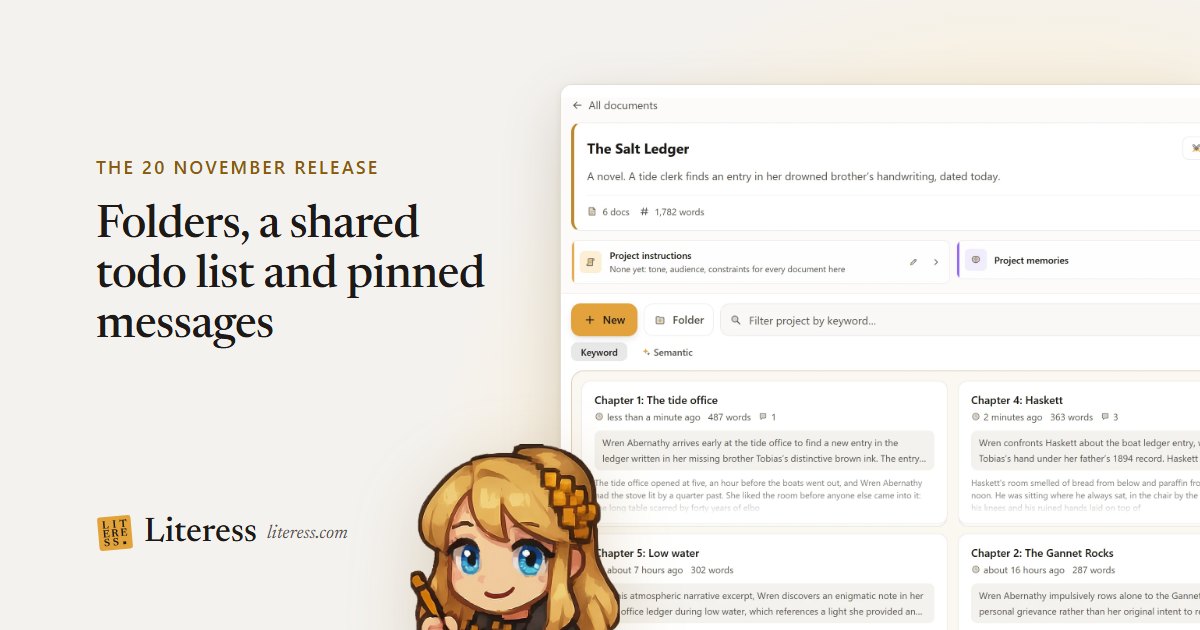
Projects can hold folders with their own instructions, you and Literess share a todo list, and a chat message can be pinned. The app also has its own colours now.
Added
- Folders inside projects. Drag a document onto a folder to file it. A folder can carry its own instructions, which Literess follows for the documents inside it, and deleting a folder keeps its documents.
- A todo list you share with Literess and any connected agents. A todo can point at a paragraph; hand one to Literess and she checks it off when the work is done, or reopens it and says why if it isn’t.
- Pinned chat messages. A pinned message gets a bookmark at the side of the chat; click it to jump back.
- When text you selected went along with a message, a link under the message takes you back to that passage.
Changed
- New colours across the app: warm ink on white paper, with honey for the main button and for everything that is hers (her suggestions, her comments, where she is working). Dark mode is warm too.
- Sign-in is safer: an email address gets at most five codes an hour, a code stops working after five wrong tries, and throwaway email addresses can’t create accounts.
- The app is called Literess everywhere, including the browser tab, the installed app and the sign-in email.
- Scrolling sideways across panes slides them into a stack smoothly, down to a single pane.
Fixed
- Scrolling a long document with comments in the margin is smooth again, and clicking a margin card takes you to its place in the text.
- Renaming a document from its menu no longer stops the app from taking clicks.
- If the sign-in email can’t be sent, you see an error instead of waiting for a code.